PCI Compliant Firewall Rules for Small Shops
Published 17 min read
What the standard calls a firewalla network security control (NSC)
Source: PCI SSC, PCI DSS v4.x Quick Reference Guide, p. 24, read on 2026-10-22
Traffic into your card systemsonly what is necessary; all else denied
Source: PCI DSS 1.3.1, Prioritized Approach Tool v4.0.1, read on 2026-10-22
Any Wi-Fi into your card systemsdenied by default
Source: PCI DSS 1.3.3, Prioritized Approach Tool v4.0.1, read on 2026-10-22
One flat networkevery system in scope
Source: PCI SSC, Scoping and Network Segmentation supplement v1.1, p. 6, read on 2026-10-22
No firewall is PCI compliant out of the box. Requirement 1 of PCI DSS asks for network security controls, and what it checks is where they sit and what their rules say. In a shop with one router that means putting the card terminal on a network of its own, keeping the guest Wi-Fi from reaching it, and keeping the router's rules written down and reviewed. Whether you answer Requirement 1 at all depends on your SAQ; the SAQ type finder settles that first.

What a PCI compliant firewall actually is
Requirement 1 of PCI DSS is titled “Install and maintain network security controls,” and the standard defines the term widely. In the Council's Quick Reference Guide: “Network security controls (NSCs), such as firewalls and other network security technologies, are network policy enforcement points that typically control network traffic between two or more logical or physical network segments (or subnets) based on pre-defined policies or rules.” The same page adds that the job “may be provided by virtual devices, cloud access controls, virtualization/container systems, and other software-defined networking technology.”
So the question is not which box to buy. It is whether something on your network enforces rules between your card systems and everything else, and whether those rules are written down and kept current. In a small shop that something may simply be the router the internet provider or the installer left behind. No device is PCI compliant on its own; the rules you set on it, and where it sits, are what the requirement checks.
Requirement 1, in 5 parts
- 1.1“Processes and mechanisms … are defined and understood.”Someone owns the router, and the rules for it are written down.
- 1.2“Network security controls (NSCs) are configured and maintained.”A written ruleset, approved changes, a network diagram, regular reviews.
- 1.3“Network access to and from the cardholder data environment is restricted.”In and out of the card zone, only the traffic payments need.
- 1.4“Network connections between trusted and untrusted networks are controlled.”Between your shop and the internet, nothing comes in uninvited.
- 1.5“Risks to the CDE from computing devices that are able to connect to both untrusted networks and the CDE are mitigated.”A laptop that goes home and also reaches the card zone is locked down.
StandardPCI DSS v4.0.1
Source: PCI SSC, PCI DSS v4.x Quick Reference Guide, p. 24, read on 2026-10-22
The flat-network rule
The simplest setup is flat: one router, one network, and the terminal, the office PC, the cameras and the guest Wi-Fi all on it. The Council's scoping supplement is blunt about what that costs:
“In a flat network, all systems are in scope if any single system stores, processes, or transmits account data.”
Every PC, tablet and camera on that network then answers to the standard. Splitting the network is the way out. The same page says segmentation is “not a PCI DSS requirement” but is “strongly recommended” as a way to reduce the scope, the cost and the difficulty of compliance, and the risk itself.
One flat network
Card terminalIn scope
Router doing the separatingIn scope
Back-office PCIn scope
Camera recorderIn scope
Guest Wi-FiIn scope
In scope5 of 5
Card zone on its own
Card terminalIn scope
sends card data
Router doing the separatingIn scope
protects the card zone
Back-office PCOut of scope
cannot reach the terminal
Camera recorderOut of scope
cannot reach the terminal
Guest Wi-FiOut of scope
cannot reach the terminal
In scope2 of 5
Same shop, same devices. “Out of scope” holds only if the rules really stop the device reaching the card zone, directly or through another in-scope system.
Source: PCI SSC, Scoping and Network Segmentation supplement v1.1, pp. 6, 11–12, read on 2026-10-22
The test of a real split is strict. The supplement's bar: “When properly implemented, a segmented (out-of-scope) system component could not impact the security of the CDE, even if an attacker obtained administrative access on that out-of-scope system.” A guest network that shares the terminal's network with a different Wi-Fi name does not pass. A separate network with a rule that blocks it from the terminal can.
The card terminal's own network
Segmentation is optional in the standard, but some SAQs write it into the form. The questionnaires for an IP-connected terminal, a virtual terminal and a small point-of-sale system each make isolation an eligibility condition, and each names network segmentation (C-VT also a firewall) as the way to get there:
Eligibility lines that need a split network
SAQ B-IPp. 18
“The standalone, IP-connected PTS POI devices are not connected to any other systems within the merchant environment”
The Council's way: “network segmentation to isolate PTS POI devices from other systems.”
SAQ C-VTp. 19
“The PCI DSS compliant virtual payment terminal solution is only accessed via a computing device that is isolated in a single location, and is not connected to other locations or systems”
The Council's way: “a firewall or network segmentation to isolate the merchant system(s) accessing the virtual payment terminal from other merchant systems.”
SAQ Cp. 20
“The payment application system is not connected to any other systems within the merchant environment”
The Council's way: “network segmentation to isolate payment application system/Internet device from all other systems.”
Source: PCI SSC, SAQ Instructions and Guidelines v4.0.1 r1, pp. 18–20, read on 2026-10-22
The same guide adds detail that matters at the counter. Several IP terminals may share one network: on SAQ B-IP, other IP-connected PTS-approved terminals “can be in the same network zone but must be isolated from all other types of systems.” And the guide names the classic slip: connections that break B-IP eligibility include “connections to cash register systems,” and a terminal that needs a computer, phone or tablet to reach the processor does not fit SAQ B-IP at all.
SAQ B is the exception: its dial-out terminals “do not connect to the Internet” at all (p. 12), so a phone line, not a router, keeps them apart. If you are unsure which of these describes your terminal, the SAQ type finder asks the questions, and every SAQ in the Council's words sets them side by side.
Guest Wi-Fi and the terminal
Wireless gets a rule of its own, and it applies whether or not the Wi-Fi ever carries a card. 1.3.3: network security controls are installed “between all wireless networks and the CDE, regardless of whether the wireless network is a CDE,” so that “All wireless traffic from wireless networks into the CDE is denied by default” and “Only wireless traffic with an authorized business purpose is allowed into the CDE.” Your network diagram has to show those wireless networks too (1.2.3).
Fails
One Wi-Fi name for staff, guests and the terminal. The password is on the chalkboard by the till.
Fails
A guest network with its own name, bridged onto the same network as the terminal.
Holds
A guest network the router keeps from reaching the card zone, with that rule written down.
Holds
The terminal on a cable or its own network; guests and staff phones never see it.
If the terminal itself runs on Wi-Fi, more lines arrive. 2.3.1: wireless vendor defaults are “changed at installation or are confirmed to be secure,” including “Default wireless encryption keys” and “Passwords on wireless access points.” 2.3.2: the encryption key is changed “Whenever personnel with knowledge of the key leave the company or the role for which the knowledge was necessary.” In a shop with seasonal staff, that second one is the line people miss.
Then there is the quarterly hunt for access points nobody approved. 11.2.1 has you test for them “at least once every three months,” and “The requirement applies even when a policy exists that prohibits the use of wireless technology.” Our PCI compliance checklist puts the 2.3.1 line on SAQ C and SAQ D and the 11.2.1 line on SAQ C and SAQ D; your SAQ form has the final list.
Source: PCI SSC, Prioritized Approach Tool for PCI DSS v4.0.1 (1.2.3, 1.3.3, 2.3.1, 2.3.2, 11.2.1), read on 2026-10-22
The router's rules, written down
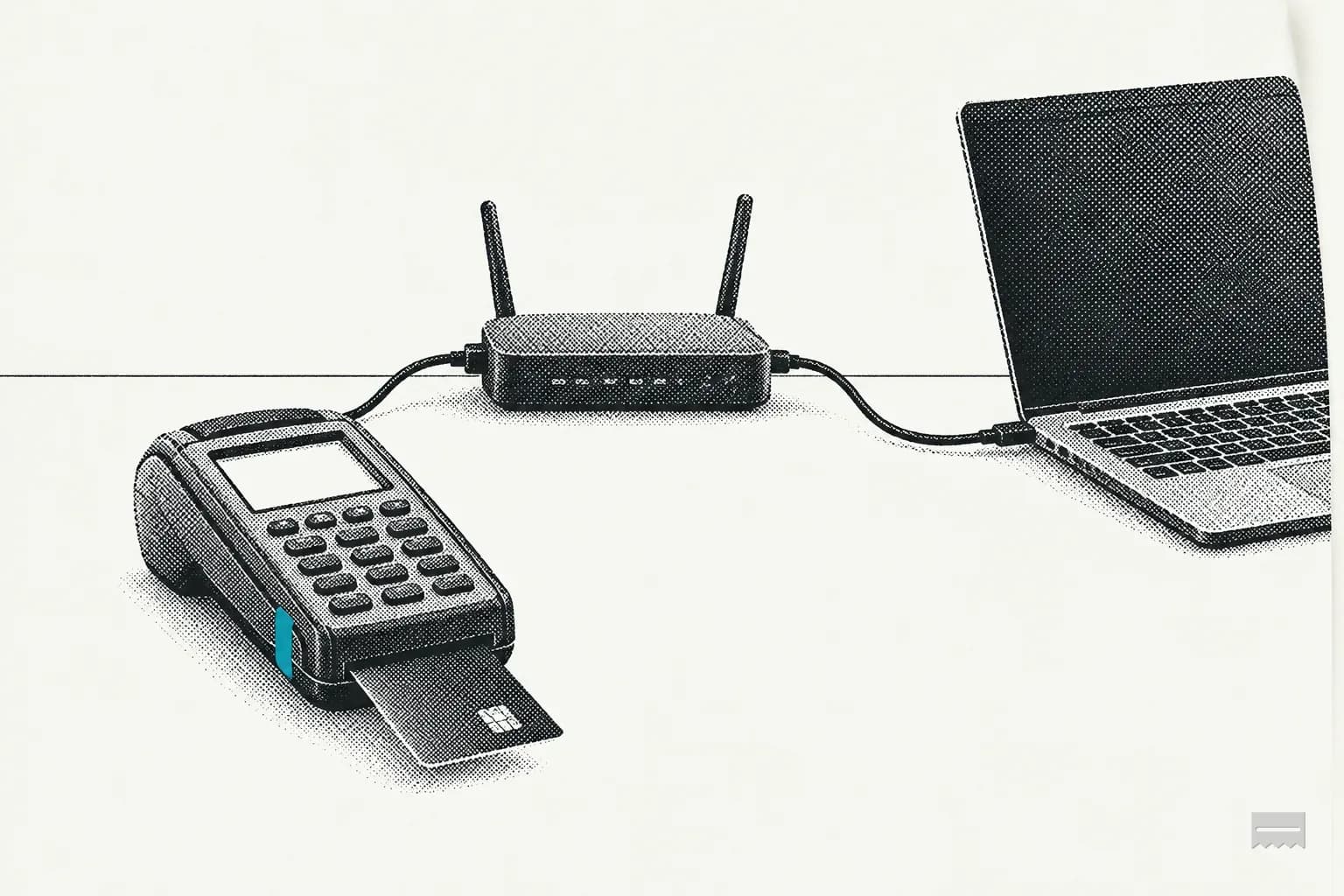
Requirement 1 asks for rulesets that are defined, implemented and maintained (1.2.1), and for inbound traffic to the card systems limited to what is necessary, with “All other traffic … specifically denied” (1.3.1). Outbound gets the same treatment in 1.3.2. For a shop with one router and a terminal on its own network, the whole ruleset fits on one receipt:
| Line | Rule | Why it is there | Req. |
|---|---|---|---|
| 01 | Allow Card terminal zone to Payment processor | The one connection the card zone needs | 1.3.1 |
| 02 | Deny Guest Wi-Fi to Card terminal zone | Wireless into the card zone, denied | 1.3.3 |
| 03 | Deny Guest Wi-Fi to Office PCs | Keeps guests off the office | House rule |
| 04 | Allow Guest Wi-Fi to Internet | Allowed, with its business need | 1.2.5 |
| 05 | Allow Office PCs to Internet | Allowed, with its business need | 1.2.5 |
| 06 | Deny Internet to Anything else | Only replies to traffic you started | 1.4.2 |
| 07 | Deny Anything else to Card terminal zone | Everything else in: denied | 1.3.1 |
| 08 | Deny Card terminal zone to Anything else | Everything else out: denied | 1.3.2 |
Line 06 is the internet side. 1.4.2 lets in only traffic to systems “authorized to provide publicly accessible services” and “Stateful responses to communications initiated by system components in a trusted network,” and “All other traffic is denied.” If you run no public service from the shop, that means replies only. If your router reads rules in order, keep the deny-everything-else lines last.
Keeping the rules honest
- 1.2.1The ruleset is “Defined. Implemented. Maintained.” Written down, set on the router, kept current.
- 1.2.2Every change to a connection or a rule is approved and goes through your change process (6.5.1).
- 1.2.5Every allowed service, protocol and port is “identified, approved, and” has “a defined business need.”
- 1.2.6Anything insecure you still allow has security features defined so the risk is mitigated.
- 1.2.7The configuration is “reviewed at least once every six months to confirm they are relevant and effective.”
- 1.2.8The router's configuration files are “Secured from unauthorized access” and “Kept consistent with active network configurations.”
- 1.4.5“The disclosure of internal IP addresses and routing information is limited to only authorized parties.”
- 1.5.1A laptop or phone that reaches both the internet and the card zone runs security controls that are “actively running” and that its user cannot switch off.
Source: PCI SSC, Prioritized Approach Tool for PCI DSS v4.0.1, read on 2026-10-22
Which SAQs carry Requirement 1
Not every small merchant answers Requirement 1. Your SAQ decides, and our PCI compliance checklist reads each SAQ's eligibility text to pick its lines. Here is where it puts the Requirement 1 lines; open your SAQ for the full list.
That is our checklist's reading, not the Council's form: the SAQ itself has the final list of questions, and your acquirer has the last word on which SAQ it accepts. Where an SAQ shows no Requirement 1 line, its eligibility conditions still decide how the terminal connects: SAQ B's terminals stay off the internet, for one. For terminals from a validated P2PE solution, what P2PE is covers what the encryption does and does not take off your hands.
Rule-review worksheet
The worksheet opens on the 8-line example above. It flags any allowed line without a business need, Wi-Fi or the internet reaching the card zone, the office joined to it, and a missing deny-everything-else line in either direction. It never asks for an address, a password or any card data.
- 01Sit with whoever set up the router and open its rules page.
- 02Make each line here match one rule on the router, Allow or Deny, from which zone to which. Add lines for anything the example does not have; remove what you do not run.
- 03Give every Allow line its business need. Mark a line “Yes” only once you have seen that rule on the router.
- 04Clear what the result flags, then sign, date, print and file it with your network diagram.
Firewall rule review
Pre-filled with the one-router shop below. Change any line to match your router, then print or copy it.
- 01toMatches the router:
- 02toMatches the router:
- 03toMatches the router:
- 04toMatches the router:
- 05toMatches the router:
- 06toMatches the router:
- 07toMatches the router:
- 08toMatches the router:
Review result
Lines written down8
Allowed3
Denied5
Checked against the router0 of 8
StatusCheck each line on the router
A clean result means the lines you wrote down match what Requirement 1 asks of a ruleset; it does not see your router. Run it again after any change to the network and at each review (1.2.7 sets six months where it applies). The yearly scope check that sits beside it is in the PCI scope checker, and the PCI policy template carries the matching firewall line for your written policy.
Quick reference
Requirement 1 for a one-router shop
Into the card zone (1.3.1)only what is necessary
Out of the card zone (1.3.2)only what is necessary
Wi-Fi into the card zone (1.3.3)denied by default
Every allowed port (1.2.5)a business need
Ruleset review (1.2.7)every 6 months
Wi-Fi key change (2.3.2)when a keyholder leaves
Rogue access point test (11.2.1)every 3 months
Segmentation test (11.4.5)every 12 months
Flat networkevery system in scope
SourcePA tool, v4.0.1
Sources
- PCI SSC: Prioritized Approach Tool for PCI DSS v4.0.1 (Jan 2025), Requirements 1.1–1.5, 2.3.1, 2.3.2, 11.2.1, 11.4.5 (docs-prv.pcisecuritystandards.org), read on 2026-10-22
- PCI SSC: PCI DSS v4.x Quick Reference Guide (Jan 2025), Requirement 1, p. 24 (docs-prv.pcisecuritystandards.org), read on 2026-10-22
- PCI SSC: Glossary, Network Security Controls (NSC) (pcisecuritystandards.org), read on 2026-10-22
- PCI SSC: Information Supplement, Guidance for PCI DSS Scoping and Network Segmentation, v1.1 (May 2017), pp. 6, 11–12 (docs-prv.pcisecuritystandards.org), read on 2026-10-22
- PCI SSC: SAQ Instructions and Guidelines, PCI DSS v4.0.1 r1 (April 2025), pp. 12, 18–20 (docs-prv.pcisecuritystandards.org), read on 2026-10-22